
Florida sunshine powers homes and businesses, but keeping solar panels working at their best can feel overwhelming. From coastal storms to pollen bursts, local weather throws plenty of challenges at your rooftop investment. Smart maintenance makes all the difference to system durability and energy savings. This guide breaks down a proven workflow that helps you spot issues early, clean safely, check electrical connections, and track performance with confidence.
Table of Contents
- Step 1: Inspect Solar Panels For Visible Issues
- Step 2: Clean Panels To Remove Dirt And Debris
- Step 3: Check Electrical Connections And Components
- Step 4: Test System Efficiency And Output
- Step 5: Document Maintenance Actions And Schedule Next Service
Quick Summary
| Key Takeaway | Explanation |
|---|---|
| 1. Inspect Panels Monthly | Regularly check for cracks, discoloration, or debris to prevent performance loss. Document any issues for professional assessment if needed. |
| 2. Clean Panels Quarterly | Remove dirt and debris using distilled water and mild soap to maintain efficiency. Schedule cleaning during cooler times to avoid thermal shock. |
| 3. Check Electrical Connections Annually | Inspect all wiring and terminal connections for damage or corrosion to ensure safety and optimal performance. Seek professional help for significant issues. |
| 4. Test System Performance Monthly | Compare current output against historical data to identify performance dips due to dirt or electrical issues. Record findings to track improvements. |
| 5. Document All Maintenance Actions | Keep detailed records of inspections and repairs for warranty protection and to track system health over time. Use both physical and digital storage methods for safety. |
Step 1: Inspect Solar Panels for Visible Issues
Now that you understand when to schedule inspections, let’s walk through how to actually spot problems. Your goal here is to identify anything that could reduce performance or create safety concerns before it becomes a bigger issue.
Start by examining each panel from the ground level using binoculars if your installation is mounted high. Look for the most common warning signs.
What to look for during your visual inspection:
- Cracks or fractures in the glass surface
- Dark spots or discoloration that might indicate internal cell damage
- Water stains or mineral deposits on the panel surface
- Loose or corroded mounting hardware
- Debris buildup like leaves, bird droppings, or dirt accumulation
- Signs of physical impact or unusual wear patterns
Solar panels are built tough and designed to withstand harsh weather, but visible damage like cracks still needs attention. Even a small crack can spread or allow moisture inside the laminated structure.
Pay special attention to the frame and junction box on the back of each panel. The frame should be secure and free of rust, and the wiring connections should show no signs of corrosion or looseness. If you notice anything unusual, take photos with your smartphone for your records.
Small cracks can worsen over time, so document everything you find and have a professional assess any damage before it impacts your entire system.
Check the overall array spacing and mounting structure. Proper installation means panels should be evenly spaced and firmly secured. If you notice panels that appear tilted or shifted from their original position, this could indicate mounting problems that affect both performance and safety.
If you spot water pooling around the base of your installation or notice moss or mold growth, these are signs of poor drainage that should be corrected to prevent long-term damage.
For quick reference, here’s how common issues affect solar panel productivity:
| Issue Detected | Typical Cause | Effect on Output | Recommended Action |
|---|---|---|---|
| Panel Dirt | Pollen, dust, debris | 10-20% reduction | Clean panels properly |
| Electrical Faults | Corrosion, loose wires | Sudden drops, outages | Inspect/repair connections |
| Cracked Glass | Physical impact | Gradual loss, safety hazard | Replace damaged panel |
| Drainage Problem | Poor installation | Long-term degradation | Fix drainage system |
For a complete understanding of what problems to watch for, common maintenance issues in solar systems can help you identify patterns worth monitoring.
Pro tip: Schedule your visual inspection on a clear day when panels are dry, as water droplets and glare can hide defects. Take dated photos of your entire installation from multiple angles to create a baseline for comparing changes over time.
Step 2: Clean Panels to Remove Dirt and Debris
Dirt, dust, pollen, and debris naturally accumulate on your panels over time, reducing their ability to capture sunlight. A thorough cleaning restores efficiency and keeps your system performing at peak capacity.
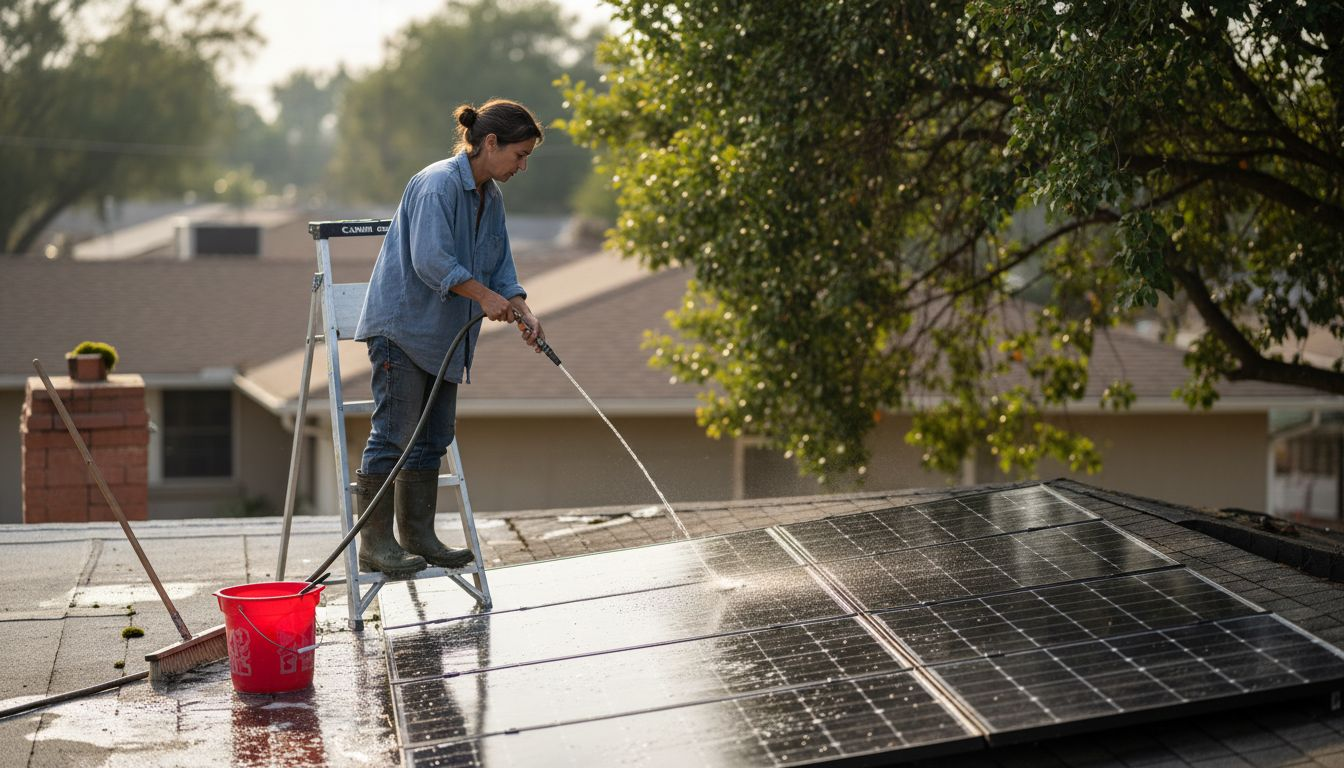
The key to effective cleaning is using the right approach without damaging your panels. Start by turning off your system at the breaker before you begin any work on or near the installation.
Gather these supplies before starting:
- Soft-bristled brush or sponge
- Distilled water (tap water can leave mineral deposits)
- Mild dish soap mixed with water
- Squeegee or soft cloth for drying
- Safety equipment like gloves and non-slip shoes
Begin by rinsing the panels with water to loosen loose debris like leaves and dirt. Use a garden hose with a gentle spray setting rather than high pressure, which could damage the glass or seals. Work methodically from the top of the array downward so gravity helps rinse away loosened material.
Next, apply your soapy water solution using a soft brush or sponge. Scrub gently in circular motions, paying special attention to areas where debris collects. Avoid harsh chemicals or abrasive materials that can scratch or damage the panel surface.
Rinse thoroughly with clean distilled water until all soap residue is gone. Any soap left behind can actually reduce light transmission and panel efficiency. Finish by drying with a soft cloth to prevent water spots.
Clean your panels during cooler times of day like early morning or late afternoon to avoid thermal shock and ensure better safety while working.
Timing matters for panel cleaning. Working when temperatures are cooler prevents the rapid temperature changes that could stress the glass. Early morning or late afternoon is ideal, and avoid cleaning on extremely hot days when panels are at peak temperature.
For Florida homeowners, consider the seasonal patterns in your area. Spring and fall typically bring more pollen and debris, while summer heat can make water spotting more visible. Plan your cleaning schedule around these patterns for best results.
If your panels are difficult to access or if you prefer professional service, professional panel cleaning can ensure thorough results without safety risks.
Pro tip: Set a cleaning reminder for every two to three months during high pollen seasons, and after storms or heavy winds when debris accumulates fastest. Regular light cleaning prevents the need for aggressive scrubbing later.
Step 3: Check Electrical Connections and Components
Your solar system’s electrical connections are critical for safety and efficiency. A loose wire or corroded terminal can reduce power output, create fire hazards, or damage expensive equipment. This step helps you catch problems before they escalate.
Before starting any electrical work, make sure your system is safely shut down at the main breaker. Never work on live circuits, and consider wearing safety glasses and gloves for protection.
What to inspect in your electrical system:
- All visible wiring for damage, fraying, or exposed conductors
- Terminal connections on the inverter and disconnect switch for corrosion or looseness
- The junction boxes on the back of panels for water intrusion or loose connectors
- Grounding wires and bonding connections for secure attachment
- The breaker panel for signs of heat damage or burning
Start by visually examining all accessible wiring from the panels to your inverter. Look for cracks in insulation, pinched or crushed sections, and any areas where rodents might have chewed through protective covering. Secure, weather-resistant connections are essential for preventing electrical faults and maintaining reliable power flow.
Check the inverter’s terminal connections next. Turn off the system and look for any corrosion buildup around terminals, which appears as white, green, or blue crusty deposits. Loose connections create resistance and heat, reducing efficiency and increasing safety risks.
Inspect the disconnect switch and breaker box for similar signs of corrosion or heat damage. The area around breakers should show no discoloration, and all connections should be tight. If you notice any burned smell or visible scorching, stop work immediately and contact a professional.
Corroded terminals and loose connections are silent efficiency killers that can reduce your output without showing obvious signs of failure.
Examine all grounding connections and bonding straps. These thin metal strips connect various components together and to ground, preventing electrical buildup. They should be firmly attached and show no corrosion or looseness.
If you notice any corrosion, you can gently clean terminals with a soft brush or fine-grit sandpaper. For significant corrosion, loose connections, or anything you’re unsure about, contact a qualified solar technician for service.
Pro tip: Take clear photos of all your electrical components and connections while everything looks clean and normal. This creates a reference baseline that makes spotting future problems much easier during routine inspections.
Step 4: Test System Efficiency and Output
Knowing whether your system is actually performing at its best requires checking real-world output against expected production. This simple test reveals if maintenance work has paid off or if deeper issues need attention.
Your inverter display and monitoring app are your primary tools for tracking performance. Most modern systems show live power output, daily totals, and historical data that tells the story of your system’s health.
How to assess your system’s performance:
- Check your inverter display for current DC and AC voltage readings
- Review daily energy production totals in your monitoring app
- Compare recent output to historical data from similar weather days
- Note any significant drops in efficiency compared to previous months
- Calculate expected output based on weather conditions and system size
Start by checking what your system produced today compared to yesterday or the same day last month. Clear sunny days with similar weather should produce comparable amounts of energy. If today’s output is noticeably lower despite good weather, something may need attention.
Your monitoring app typically shows hourly production curves. A healthy system produces a smooth curve that peaks mid-afternoon when the sun is strongest. Dips or flat spots in this curve can indicate shading, dirty panels, or inverter problems.
For a more detailed assessment, you can estimate expected output using your system’s specifications. System performance calculations help you determine what your array should produce based on size, location, and weather conditions. Compare this estimate to your actual output.
Temperature significantly affects efficiency. Panel efficiency depends on cell characteristics and temperature, so cooler mornings and evenings typically produce more power per unit of sunlight than hot afternoons. Account for this seasonal variation.
A 10 to 15 percent drop in output compared to your baseline typically means something needs cleaning or repair.
If output is consistently lower than expected, work through the maintenance checklist. Often dirty panels or minor electrical issues cause 10 to 20 percent efficiency losses. After cleaning and checking connections, retest to verify improvements.
Document your findings in a simple spreadsheet or note app. Track monthly averages, weather conditions, and any maintenance performed. This history helps you spot trends and ensures you catch problems early.
Pro tip: Compare your system’s output to average production data for your zip code during the same period. Most monitoring apps provide this comparison automatically, making it easy to spot whether your system is underperforming relative to others in your area.
Step 5: Document Maintenance Actions and Schedule Next Service
Keeping detailed records of every maintenance action transforms your solar system from a black box into a predictable, manageable asset. Documentation protects your warranty, tracks system health, and ensures nothing falls through the cracks.
Start documenting immediately after completing each maintenance task. Write down what you did, when you did it, and what you found. This simple habit pays dividends over your system’s 25+ year lifespan.
What information to record for each maintenance session:
- Date and time of inspection or service
- Weather conditions during the work
- Specific tasks performed and areas checked
- Any issues discovered and how they were resolved
- Photos or videos documenting findings
- System output before and after maintenance
- Name of technician if professional service was used
Create a simple maintenance log using a spreadsheet, notebook, or phone app. Include columns for the date, task completed, findings, and next scheduled action. Digital formats work best because you can easily search and share information later.
Detailed maintenance records help track system health and warranty compliance while supporting long-term asset management. These records become invaluable if you sell your home, file an insurance claim, or need to reference work done years earlier.
Store your documentation in at least two places. Keep a physical copy at home and a digital backup in cloud storage. This redundancy ensures you never lose critical information due to hardware failure or natural disaster.
Include performance data in your records. Document your system’s energy output for each month along with maintenance activities performed. Over time, patterns emerge that reveal how cleaning, repairs, and seasonal changes affect your productivity.
Good records are your insurance policy against forgotten details and future disputes about what work was completed.
Now schedule your next service based on what you learned. If panels needed cleaning, plan quarterly cleanings during high pollen seasons. If you found minor electrical issues, schedule a professional inspection in three months to verify they haven’t worsened.
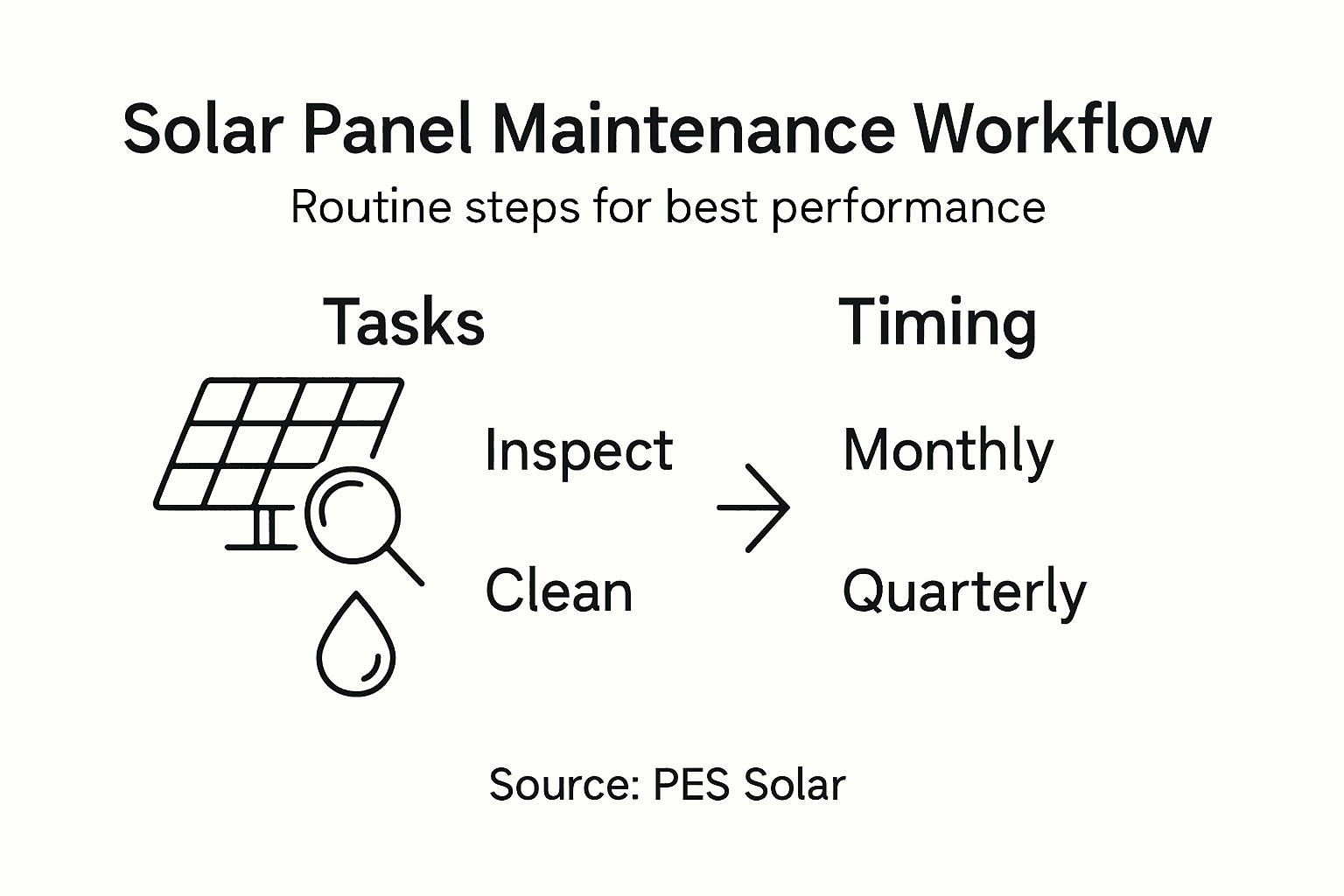
For most Florida homeowners, a basic maintenance rhythm looks like this: monthly visual inspections, quarterly cleaning, and professional electrical checks annually. Adjust this schedule based on your specific findings and weather patterns in your area.
Here’s a practical summary of solar panel maintenance tasks and their impact:
| Task Type | Frequency | Main Benefit | Business Impact |
|---|---|---|---|
| Visual Inspection | Monthly | Early problem detection | Prevents costly repairs |
| Panel Cleaning | Quarterly | Efficiency recovery | Maximizes energy output |
| Electrical Checks | Annually | System safety assurance | Reduces downtime risk |
| Performance Testing | Monthly | Confirms optimal function | Maintains ROI over time |
| Documentation | Every session | Warranty protection | Supports asset value and resale |
Set calendar reminders for each upcoming task. Most phone calendars let you create recurring reminders that repeat quarterly or annually, making it nearly impossible to forget important maintenance dates.
Pro tip: Create a simple one-page summary sheet with your system’s specifications, inverter model, installation date, and warranty information. Keep it with your maintenance log so all critical details are in one easy-to-reference location.
Keep Your Solar Panels Running at Peak Performance with Expert Support
Maintaining your solar panels regularly is essential to avoid performance drops caused by dirt, electrical faults, or physical damage. This article highlights common challenges such as cracked glass, corrosion, and efficiency losses that can affect the longevity and output of your system. At PES Solar, we understand how overwhelming routine inspections, cleaning, and electrical checks can feel especially when you want to protect your investment and maximize energy savings.
Let us help you take the guesswork out of solar maintenance. From professional panel cleaning to thorough system evaluations and repairs, our Florida-based team delivers certified solar solutions tailored for residential and commercial clients. We specialize in helping you reclaim lost efficiency, secure your system’s safety, and save more on your energy bills year-round.
Ready to boost your solar system’s performance and avoid costly repairs? Visit PES Solar today to schedule a consultation. Learn more about our solar panel installation services and trusted maintenance plans that ensure your investment delivers lasting value. Don’t wait until minor issues become major problems. Take action now to keep your solar panels powering your home or business at their best.
Frequently Asked Questions
How often should I perform visual inspections on my solar panels?
To maintain peak performance, you should conduct visual inspections of your solar panels monthly. Look for visible issues like cracks or debris to address them promptly and prevent costly repairs.
What items are essential for cleaning solar panels effectively?
Gather a soft-bristled brush, distilled water, mild dish soap, and a squeegee before cleaning your solar panels. This combination ensures effective cleaning without damaging the panel surface, helping maintain optimal energy output.
How can I check the efficiency of my solar panel system?
You can assess your solar panel system’s efficiency by checking the inverter display for current voltage readings and using monitoring apps to review daily energy production. Compare current output to similar weather days to spot any significant drops in efficiency.
What should I document during solar panel maintenance?
Record the date, tasks performed, findings, and any issues discovered during each maintenance session. This documentation helps track system health and warranty compliance, ensuring nothing falls through the cracks over your system’s lifespan.
When is the best time to clean solar panels to avoid damage?
Clean your solar panels during cooler times of the day, preferably in the early morning or late afternoon. Avoid cleaning during peak heat to prevent thermal shock and ensure your safety while working.
How do I know if my solar panels need immediate repair?
If you notice significant drops in output, visible damage like cracks, or corrosion on electrical connections during inspections, your solar panels may need immediate repair. Address these issues promptly to avoid further degradation of performance.
